
The Ultimate Redis Guide: From Zero to Production 🚀
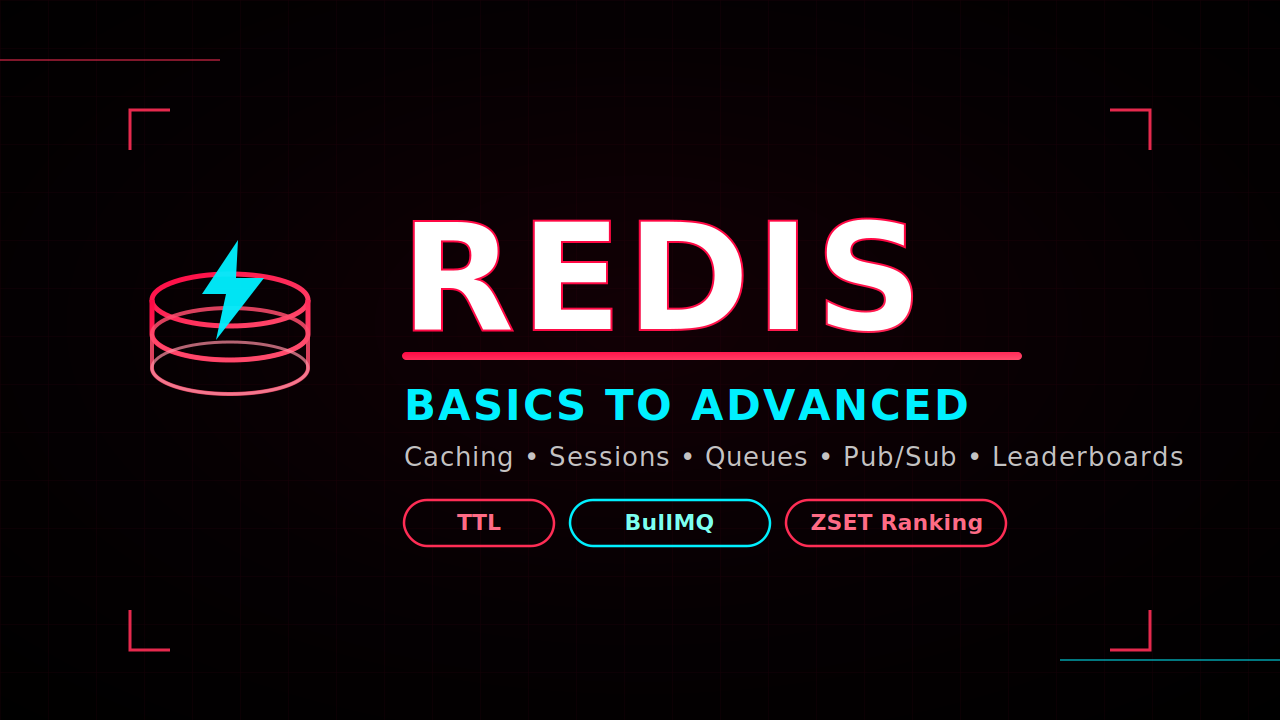
Redis shows up in almost every modern backend stack, yet a lot of developers only ever use it as "that thing we cache stuff in." This guide walks through Redis the way a backend engineer actually needs to understand it: what it is, why it exists, how to store data in it correctly, and how to use it for caching, sessions, OTPs, queues, pub/sub, and leaderboards — with runnable code at every stage.
1. What Is Redis, Really?
Redis (REmote DIctionary Server) is an in-memory data store — sometimes called an in-memory database or a giant, network-accessible hash map. Because it keeps data in RAM instead of on disk, reads and writes are measured in microseconds instead of milliseconds.
The Kirana Store Analogy
Imagine a shopkeeper who has to walk to the back room and flip through a thick ledger every time a customer asks "what's the price of tea?" That's a traditional disk-based database — accurate, but slow under repeated questions.
Now imagine the same shopkeeper writes today's prices on a whiteboard at the front counter. Any question about price gets answered instantly, with no trip to the back room.
Redis is that whiteboard. Your main database (PostgreSQL, MongoDB, MySQL) is still the "ledger" — the single source of truth. Redis sits in front of it, holding hot, frequently-accessed data for instant retrieval.
flowchart LR
    A[Client Request] --> B{Backend App}
    B -->|Check cache first| C[(Redis<br/>In-Memory)]
    C -- Cache Hit --> B
    B -- Cache Miss --> D[(Main Database<br/>Postgres / Mongo)]
    D -->|Store result back| C
    D --> B
    B --> A
Key architectural rule: Redis is not a replacement for your database — it's a layer in front of it. The main database always remains the ultimate source of truth. One caveat worth remembering: since Redis usually runs as a separate service, network latency between your backend and your Redis instance still matters, even though in-memory lookups themselves are near-instant.
2. Why Teams Reach for Redis
Redis isn't "just a cache." Once a key-value store this fast exists in your architecture, a whole set of problems become trivial to solve.
| Use Case | Problem It Solves | Typical Redis Feature |
|---|---|---|
| Caching Layer | Reduces read pressure on the main DB by serving repeat reads from memory | GET / SET |
| Session Store | Lets multiple backend servers instantly check login state without hitting the DB | SET / GET, Hashes |
| OTP Storage | Temporarily stores one-time passwords that must self-destruct | SET ... EX (TTL) |
| Rate Limiting | Blocks or throttles users making excessive requests (e.g., login spam) | INCR + TTL |
| Background Jobs / Queues | Holds jobs for workers to process asynchronously (e.g., bulk emails) | Lists (LPUSH / RPOP), BullMQ |
| Real-Time Notifications | Broadcasts events to multiple listening services instantly | Pub/Sub |
| Live Leaderboards | Maintains constantly-updating, sorted rankings without complex SQL | Sorted Sets (ZINCRBY, ZREVRANGE) |
3. How Data Is Stored: Keys, Values, and TTL
Key-Value Basics
Redis is fundamentally key-value. The convention is to keep keys human-readable and namespaced with colons to avoid collisions:
product:all
otp:9876543210
user:123:json
queue:email
TTL — Time To Live
This is arguably Redis's most powerful everyday feature. You can attach an expiration time to any key, and Redis deletes it automatically once that time elapses — no cron job, no cleanup script required.
sequenceDiagram
    participant App as Backend
    participant Redis as Redis
    App->>Redis: SET otp:989898 "482913" EX 30
    Note right of Redis: TTL countdown starts (30s)
    App->>Redis: TTL otp:989898
    Redis-->>App: 21 (seconds remaining)
    Note over Redis: 30 seconds pass...
    App->>Redis: GET otp:989898
    Redis-->>App: (nil) — key auto-expired
Once a key's TTL hits zero, redis.ttl(key) returns -2, signaling "key does not exist / has expired."
Redis Is Not a Replacement for Your Database
One of the most common misconceptions is:
"If Redis is faster, why not store everything in Redis?"
The answer lies in the purpose of each system.
| Database | Redis |
|---|---|
| Permanent storage | Temporary or frequently accessed data |
| Source of truth | Performance layer |
| Durable records | Fast access |
| Optimized for consistency | Optimized for speed |
A typical production architecture looks like this:

The database remains the authoritative source of data, while Redis accelerates access to information that is requested frequently.
This pattern significantly reduces database load and improves response times.
Understanding Cache Hit and Cache Miss
Caching revolves around two important concepts.
Cache Hit
A cache hit occurs when the requested data is already present in Redis.
User requests product 101

↓

Redis already has product 101

↓

Return immediately
No database query is required.
Response time is extremely low.
Cache Miss
A cache miss occurs when Redis does not have the requested data.
User requests product 101

↓

Redis checks

↓

Not found

↓

Query Database

↓

Store result in Redis

↓

Return response
The next user requesting the same product benefits from the cached version.
Real-World Example: E- Commerce Product Page
Imagine a product page that receives 100,000 views every hour.
Without Redis:
100,000 database queries
Increased CPU usage
Slower responses
Higher infrastructure costs
With Redis:
The first request queries the database.
The result is cached in Redis with a suitable expiration time.
The next 99,999 requests are served directly from Redis.
This dramatically reduces the workload on the database while delivering a faster experience to users.
Setting Up Redis Locally with Docker
One of the easiest ways to experiment with Redis is to run it inside a Docker container. This keeps your environment clean and makes setup consistent across machines.
A minimal docker-compose.yml file might include both Redis and MongoDB, allowing you to explore how Redis complements a primary database in development. This mirrors the setup described in the learning series, where Redis and MongoDB run as separate services and are accessed independently by a Node.js application.
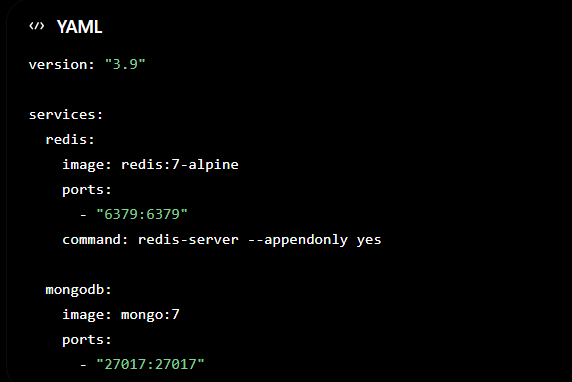
The appendonly yes option enables Redis persistence using the Append Only File (AOF), helping preserve data across restarts while still benefiting from in-memory performance.
4. Practical Example #1: Site Banner API (Basic Caching)
A site banner (a "Hello Bar" discount pop-up) loads on nearly every page refresh. Querying a full database for that on every request is wasteful — it's a perfect caching candidate.
import express from "express";
import Redis from "ioredis";

const app = express();
app.use(express.json());
const redis = new Redis("redis://localhost:6379");

const BANNER_KEY = "site_banner";

// SET — update the banner
app.post("/banner", async (req, res) => {
  const message = req.body.message || "Welcome to Chai aur Redis";
  await redis.set(BANNER_KEY, message);
  res.json({ success: true });
});

// GET — fetch the banner
app.get("/banner", async (req, res) => {
  const message = await redis.get(BANNER_KEY);
  res.json({ message });
});

// EXISTS — check before fetching
app.get("/banner/exists", async (req, res) => {
  const isExists = await redis.exists(BANNER_KEY);
  res.json({ exists: Boolean(isExists) });
});

// DELETE — clear the banner
app.delete("/banner", async (req, res) => {
  await redis.del(BANNER_KEY);
  res.json({ success: true });
});

app.listen(3000);
Best practice: always check EXISTS before assuming a key is present — Redis returning nil on a missing GET is easy to mishandle silently.
5. Practical Example #2: OTP Verification with TTL
This is the textbook use case for TTL: store a one-time password that must vanish after N seconds.
const otpKey = (phone) => `otp:${phone}`;

// Generate & send OTP
app.post("/otp", async (req, res) => {
  const { phone } = req.body;
  const otp = Math.floor(100000 + Math.random() * 900000);
  await redis.set(otpKey(phone), otp, "EX", 30); // expires in 30s
  res.json({ message: "OTP sent" });
});

// Verify OTP
app.post("/otp/verify", async (req, res) => {
  const { phone, otp } = req.body;
  const storedOtp = await redis.get(otpKey(phone));

  if (!storedOtp) return res.status(400).json({ error: "OTP expired or not found" });
  if (storedOtp !== otp) return res.status(400).json({ error: "Invalid OTP" });

  await redis.del(otpKey(phone)); // one-time use only
  res.json({ verified: true });
});

// Check remaining TTL
app.get("/otp/:phone/ttl", async (req, res) => {
  const ttl = await redis.ttl(otpKey(req.params.phone));
  res.json({ ttl }); // -2 means expired/not found
});
Production tip: instead of storing just the OTP string, store a JSON object with metadata like
attempts,max_attempts,created_at, andblocked_until— this lets you enforce retry limits and lockouts in the same key.
6. Storing Structured Data: JSON String vs. Redis Hash
This is one of the most common Redis interview questions, because it separates people who've used Redis from people who've only read about it.
Option A — Stringified JSON (common, but limited)
await redis.set("user:123:json", JSON.stringify({ name: "Aman", email: "a@x.com" }));
const raw = await redis.get("user:123:json");
const user = JSON.parse(raw); // manual parsing required
Option B — Redis Hash (structured, flexible)
await redis.hset("user:123", { name: "Aman", email: "a@x.com" });
const user = await redis.hgetall("user:123"); // comes back as a ready object
| Aspect | JSON String (SET/GET) |
Redis Hash (HSET/HGETALL) |
|---|---|---|
| Storage format | One flattened string | Individual fields + values |
| Retrieval | Must JSON.parse() manually |
HGETALL returns object directly |
| Partial update (e.g., just email) | ❌ Must overwrite entire string | ✅ HSET a single field |
| Extra commands | — | HGET, HDEL, HEXISTS for single-field ops |
| Best for | Quick, disposable blobs | Structured records like user profiles |
Rule of thumb: if you'll ever need to update one field without touching the rest, use a Hash.
7. Redis Lists as a Manual Queue (and Why That's Risky)
Redis Lists can act as a FIFO queue: push jobs onto one side, pop them from the other.
flowchart LR
    P[Producer] -->|LPUSH queue:email| L["[job3, job2, job1]"]
    L -->|RPOP queue:email| C[Consumer / Worker]
// Queue a job
app.post("/emails", async (req, res) => {
  const job = { ...req.body, createdAt: Date.now() };
  await redis.lpush("queue:email", JSON.stringify(job));
  res.json({ queued: true });
});

// Process a job
app.get("/emails/process", async (req, res) => {
  const raw = await redis.rpop("queue:email");
  if (!raw) return res.json({ message: "Queue empty" });
  const job = JSON.parse(raw);
  // ...send the email here
  res.json({ processed: job });
});
⚠️ Why this shouldn't be your production queue
| Problem | What Happens |
|---|---|
| Job loss | RPOP removes the job immediately — if the worker crashes right after popping, that job is gone forever |
| No retries | There's no built-in mechanism to re-attempt a failed job |
| No parallel workers | The raw list doesn't coordinate multiple workers safely |
This is exactly why production systems layer a proper queue library on top of Redis instead of hand-rolling one.
8. Production-Grade Queues with BullMQ
BullMQ is a battle-tested queue library built on Redis that solves job loss, retries, and worker scaling out of the box.
flowchart LR
    subgraph Producer
        A[Express API]
    end
    subgraph Redis["Redis (BullMQ Queue)"]
        Q[(email-queue)]
    end
    subgraph Consumer
        W1[Worker 1]
        W2[Worker 2]
    end
    A -->|emailQueue.add job| Q
    Q -->|pulls job| W1
    Q -->|pulls job| W2
    W1 -->|completed / failed events| A
    W2 -->|completed / failed events| A
queue.js — the infrastructure:
import { Queue } from "bullmq";
export const emailQueue = new Queue("email-queue", {
  connection: { host: "localhost", port: 6379 },
});
worker.js — the consumer:
import { Worker } from "bullmq";

const worker = new Worker("email-queue", async (job) => {
  await new Promise((r) => setTimeout(r, 1500)); // simulate sending
  console.log("Sent to:", job.data.to);
});

worker.on("completed", (job) => console.log(`Job ${job.id} completed`));
worker.on("failed", (job, err) => console.log(`Job ${job.id} failed: ${err.message}`));
api.js — the producer:
import { emailQueue } from "./queue.js";

app.post("/welcome-email", async (req, res) => {
  await emailQueue.add("welcome", req.body, {
    attempts: 3,
    backoff: { type: "exponential", delay: 1000 },
  });
  res.json({ queued: true });
});
The attempts: 3 + exponential backoff config alone eliminates both major weaknesses of the manual list-based queue.
9. Real-Time Events with Redis Pub/Sub
Pub/Sub lets one part of your system broadcast a message that any number of other services can react to instantly — without polling.
flowchart TB
    Pub[Publisher API] -->|PUBLISH notifications payload| Ch(("Channel:<br/>notifications"))
    Ch --> Sub1[Subscriber: Email Worker]
    Ch --> Sub2[Subscriber: WebSocket Server]
    Ch --> Sub3[Subscriber: Analytics Logger]
subscriber.js:
const subscriber = new Redis();
await subscriber.subscribe("notifications");

subscriber.on("message", (channel, message) => {
  const payload = JSON.parse(message);
  console.log(`[${channel}]`, payload);
});
api.js (publisher):
const publisher = new Redis();

app.post("/notifications", async (req, res) => {
  const payload = { ...req.body, createdAt: Date.now() };
  await publisher.publish("notifications", JSON.stringify(payload));
  res.json({ sent: true });
});
Important caveat: Pub/Sub is fire-and-forget. If a subscriber is offline when a message is published, that message is simply dropped — there's no queue or replay. Use Pub/Sub for live/ephemeral events, and BullMQ (or Streams) for anything that must not be lost.
10. Advanced: Live Leaderboards with Sorted Sets
This is the "final boss" use case for Redis basics — a constantly-updating, ranked leaderboard that would otherwise require complex SQL, locking, and transactions on a traditional database. Redis's Sorted Sets (ZSET) solve this natively.
| Endpoint | Redis Command | Purpose |
|---|---|---|
POST /:id/view |
INCR |
Increment a view/click counter by 1 |
POST /leaderboard/score |
ZINCRBY |
Add points to a user's score (supports decimals) |
GET /leaderboard |
ZREVRANGE |
Fetch the top N ranked users, pre-sorted |
GET /leaderboard/:userId/rank |
ZREVRANK |
Get a specific user's current rank instantly |
// Add points to a user's score
app.post("/leaderboard/score", async (req, res) => {
  const { userId, points } = req.body;
  const newScore = await redis.zincrby("leaderboard", points, userId);
  res.json({ userId, score: newScore });
});

// Top 10 leaders
app.get("/leaderboard", async (req, res) => {
  const top = await redis.zrevrange("leaderboard", 0, 9, "WITHSCORES");
  res.json({ top });
});

// A specific user's rank
app.get("/leaderboard/:userId/rank", async (req, res) => {
  const rank = await redis.zrevrank("leaderboard", req.params.userId);
  res.json({ rank: rank !== null ? rank + 1 : null }); // +1 for 1-based rank
});
No ORDER BY, no SELECT ... LIMIT, no locking logic — Redis handles the sorted insert and range queries as native operations.
11. When Not to Use Redis
Redis is powerful, but it isn't a default you bolt onto every project. Reach for it when you have a specific problem to solve:
Reducing read pressure on a slow-changing dataset
Handling genuinely temporary data (OTPs, sessions, rate-limit counters)
Maintaining shared, frequently-updated counters (views, scores)
Avoid it when your data has no caching or expiry need, or when you'd be duplicating your primary database's job without a clear performance win.
12. Redis Alternatives Worth Knowing
| Alternative | Notes |
|---|---|
| KeyDB | Multi-threaded fork of Redis, drop-in compatible |
| Dragonfly | Modern, high-performance Redis/Memcached-compatible engine |
| Valkey | Community-driven, open-source continuation of Redis after its license change |
| Memcached | Simpler, pure in-memory cache — no persistence, fewer data structures |
Quick Reference: Core Commands Cheat Sheet
| Command | Data Type | Purpose |
|---|---|---|
SET / GET |
String | Basic key-value storage |
SET key val EX seconds |
String | Set with TTL |
TTL key |
Any | Check remaining time-to-live |
EXISTS key |
Any | Check if a key is present |
DEL key |
Any | Delete a key |
HSET / HGETALL / HGET / HDEL / HEXISTS |
Hash | Structured field-level storage |
LPUSH / RPOP |
List | Queue-like push/pop |
INCR |
String (numeric) | Atomic counter increment |
ZINCRBY / ZREVRANGE / ZREVRANK |
Sorted Set | Leaderboards & rankings |
PUBLISH / SUBSCRIBE |
Pub/Sub | Real-time broadcast messaging |
Closing Thought
The Redis commands themselves are simple — most of the code samples above are under 30 lines. The real skill is architectural: knowing exactly when, why, and where to insert a caching or in-memory layer into a system so it solves a real bottleneck instead of adding unnecessary complexity.
Comments
Join the discussionNo comments yet. Be the first to comment.